Choosing a drawing tablet involves more than comparing screen sizes or stylus specifications. Artists also need to consider software compatibility, portability, display quality, and whether the device can operate independently of a computer. If you are searching for the best Wacom MovinkPad Pro 14 alternative, several tablets offer different approaches to digital creation, from standalone Android devices to professional pen displays. The following seven options cover different workflows and budgets, helping you identify the features that matter most before making a purchase.
1. Wacom MovinkPad Pro 14 Alternative: Quick Comparing the Seven Tablets
The most useful comparison starts with device type. A standalone tablet includes its own operating system and computing hardware, whereas a pen display relies on a connected computer. The distinction affects portability, software access, and total setup cost.
| Tablet | Device Type | Key Specifications | Best Suited For |
| XPPen Magic Pro 13 | Standalone tablet and pen display | 12.95-inch, 3K, 120Hz | Mobile and desktop creation |
| Apple iPad Pro | Standalone tablet | 11-inch or 13-inch, Tandem OLED, up to 120Hz | Premium creative workflows |
| Samsung Galaxy Tab S11 | Standalone tablet | Dynamic AMOLED 2X, 120Hz | Digital Drawing and Everyday Work |
| Microsoft Surface Pro (11th Edition) | Windows 2-in-1 tablet | 13-inch, 2880 × 1920, up to 120Hz | Digital art and desktop productivity |
| Huion Kamvas Slate 13 | Standalone tablet | 12.7-inch, 2176 × 1600 | Android-based drawing |
| Huion Kamvas 13 (Gen 3) | Pen display | 13.3-inch, 1920 × 1080 | Computer-based creation |
| Wacom Movink 13 | Pen display | 13.3-inch, OLED, 1920 × 1080 | On-the-Go Digital Illustration |
Specifications are based on the respective manufacturers’ published information. Screen sizes, refresh rates, and stylus technologies should not be compared in isolation, because the devices serve different purposes.
2. 7 Best Wacom MovinkPad Pro 14 Alternatives to Consider
1. XPPen Magic Pro 13 – A Versatile Standalone Drawing Tablet
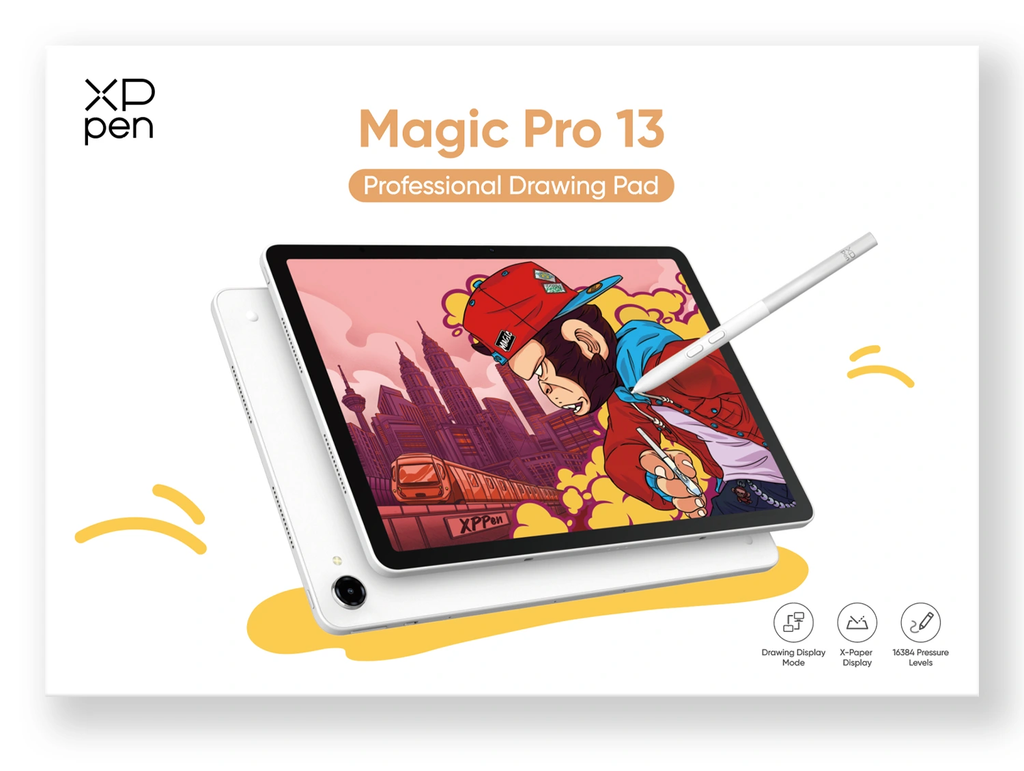
The XPPen Magic Pro 13 standalone drawing Pad is designed for artists who want one device for mobile creation and computer-connected drawing. Scheduled for release on October 27, 2026, it combines standalone Android functionality with Drawing Display Mode, allowing users to connect it to a PC through a single USB-C cable. This dual-mode design makes it a noteworthy Wacom MovinkPad Pro 14 alternative for artists who move between locations and desktop workflows.
Its 12.95-inch display offers 3096 × 2064 resolution, a 120Hz refresh rate, 100% sRGB coverage, and 96% DCI-P3 coverage. The X4 Smart Chip Stylus supports 16,384 pressure levels, 60° tilt recognition, and a 2g initial activation force. Powered by a MediaTek Dimensity 8300 processor, 8GB RAM, and 256GB storage, the device also supports microSD expansion up to 2TB. Android 16, a 10,200mAh battery, and a 655g body further support mobile creative work.
2. Apple iPad Pro – A Premium Option for Digital Artists
The Apple iPad Pro is worth considering if you want a high-performance tablet for illustration, design, and general productivity. Apple’s current specification page lists 11-inch and 13-inch models with an M5 chip, Tandem OLED displays, and adaptive refresh rates of up to 120Hz. Each size is compatible with Apple’s Pencil Pro and USB-C stylus options.
For artists who prioritize a broad tablet ecosystem, the iPad Pro can be a strong Wacom MovinkPad Pro 14 alternative. However, the experience differs from a dedicated drawing pad. Buyers should check their preferred drawing applications, stylus requirements, and accessory costs before deciding. The Apple Pencil is a separate purchase, so include it in the total budget.
3. Samsung Galaxy Tab S Series – An Android Drawing Alternative
The Samsung Galaxy Tab S11 series offers another option for artists who prefer Android. According to Samsung, the series features Dynamic AMOLED 2X displays, adaptive 120Hz refresh rates, and an included redesigned S Pen. These features support drawing, handwritten notes, and multitasking without requiring a separate pen purchase.
As a Wacom MovinkPad Pro 14 alternative, this tablet may suit users who combine digital art with everyday productivity. The S11 and S11 Ultra differ in screen size, battery capacity, and other specifications, so compare the exact model rather than treating the entire series as one configuration. Also confirm that your preferred drawing software supports the features you need.
4. Microsoft Surface Pro – A Versatile Windows Tablet for Digital Art
The Microsoft Surface Pro combines a touchscreen tablet with the functionality of a Windows PC, making it an option for artists who prefer desktop creative software. The 13-inch model offers a 2880 × 1920 resolution, a 3:2 aspect ratio, and a refresh rate of up to 120Hz. Depending on the configuration, users can choose an LCD or OLED display.
Compatible with Surface Slim Pen 2, the device supports 4,096 pressure levels and tilt functionality. It can run compatible Windows drawing applications, offering a different workflow from Android-based drawing tablets. As a Wacom MovinkPad Pro 14 alternative, the Surface Pro may suit artists who need drawing capabilities alongside desktop software and productivity tools. However, the stylus is sold separately, and the device is heavier than many dedicated drawing tablets. Check the specifications of the selected configuration before purchasing.
5. Huion Kamvas Slate 13 – An Android Tablet Option
The Huion Kamvas Slate 13 is a standalone Android tablet with a 12.7-inch display, a 2176 × 1600 resolution, and a 4:3 aspect ratio. Its nano-etched screen is designed to reduce glare and provide a paper-like drawing surface. The tablet runs Android 14 and includes 8GB RAM and 256GB storage, expandable by microSD up to 1TB.
Its H-Pencil supports 4,096 pressure levels and 60° tilt recognition. The device weighs 682g and has a 10,000mAh battery, with Huion reporting up to 14 hours of use under its test conditions. For buyers considering a Wacom MovinkPad Pro 14 alternative, the Slate 13 offers standalone drawing and a larger 4:3 canvas, although its stylus specifications differ from those of higher-pressure-level alternatives.
6. Huion Kamvas 13 (Gen 3) – For Computer-Based Drawing
Unlike standalone tablets, the Huion Kamvas 13 (Gen 3) is primarily a computer-connected pen display. It features a 13.3-inch, 1920 × 1080 screen, 99% sRGB coverage, and Huion’s PenTech 4.0 technology. Its PW600L pen supports 16,384 pressure levels and ±60° tilt recognition.
This option makes sense for artists who prefer desktop drawing applications and already have a compatible computer. As a Wacom MovinkPad Pro 14 alternative, it may reduce the need to purchase a separate computing device, but it does not offer the same standalone workflow as an Android drawing tablet. Check computer compatibility, connection requirements, and the cost of any additional accessories before buying.
7. Wacom Movink 13 – Another Wacom Drawing Display
The Wacom Movink 13 is another option for artists who want Wacom’s pen technology in a compact display. Its official specifications include a 13.3-inch Full HD OLED screen, 100% DCI-P3 coverage, 95% Adobe RGB coverage, and support for the Wacom Pro Pen 3. The display weighs 420g and measures approximately 4mm at its thinnest point.
It connects to a compatible computer through USB-C rather than operating as an independent Android tablet. Therefore, it is a Wacom MovinkPad Pro 14 alternative mainly for users who prefer a lightweight, computer-connected setup. Its OLED display and color specifications may appeal to visual professionals, but the choice ultimately depends on whether you need a standalone device or an external drawing display.
3. Which Wacom MovinkPad Pro 14 Alternative Is Right for You?
Best for Artists Who Need Standalone Drawing
Choose a standalone tablet if you want to sketch outdoors, travel frequently, or work without carrying a laptop. The XPPen Magic Pro 13, Apple iPad Pro, and Samsung Galaxy Tab S11 are suitable options for this type of workflow. The Huion Kamvas Slate 13 also offers an Android-based drawing experience, while the Microsoft Surface Pro provides more flexibility for artists who need Windows software and everyday productivity tools.
Best for Artists Who Prefer Desktop Software
A computer-connected display such as the Huion Kamvas 13 (Gen 3) or Wacom Movink 13 may suit artists whose workflow depends on desktop software. If you are comparing a Wacom MovinkPad Pro 14 alternative, verify operating system compatibility, display connections, and the availability of essential shortcuts before choosing a model.
Best for Artists on a Budget
Compare the complete setup cost rather than the tablet price alone. Include the stylus, cables, stand, software subscriptions, and any computer you may need. A standalone device may offer better convenience if you do not already own a suitable computer, while a pen display may be more economical if your desktop setup is already in place.
4. Final Thoughts
The right Wacom MovinkPad Pro 14 alternative depends on how and where you create. High-resolution displays and responsive styluses matter for detailed illustration, but software compatibility, portability, and connection requirements can be equally important. Compare the official specifications of each model against your actual workflow, and consider the full cost of ownership before purchasing. By identifying your priorities first, you can choose a drawing device that supports your creative process without paying for features you may not need.